Private messages and calls for your family, even on a weak connection

Chat, send voice notes and photos, call your parents back home. Everything is end-to-end encrypted. And if you code with Claude Code, talk to it from your phone.

  • End-to-end encrypted
  • Android now, Windows in testing
  • Free test version

Free test version for Android. Russian, Ukrainian and English.
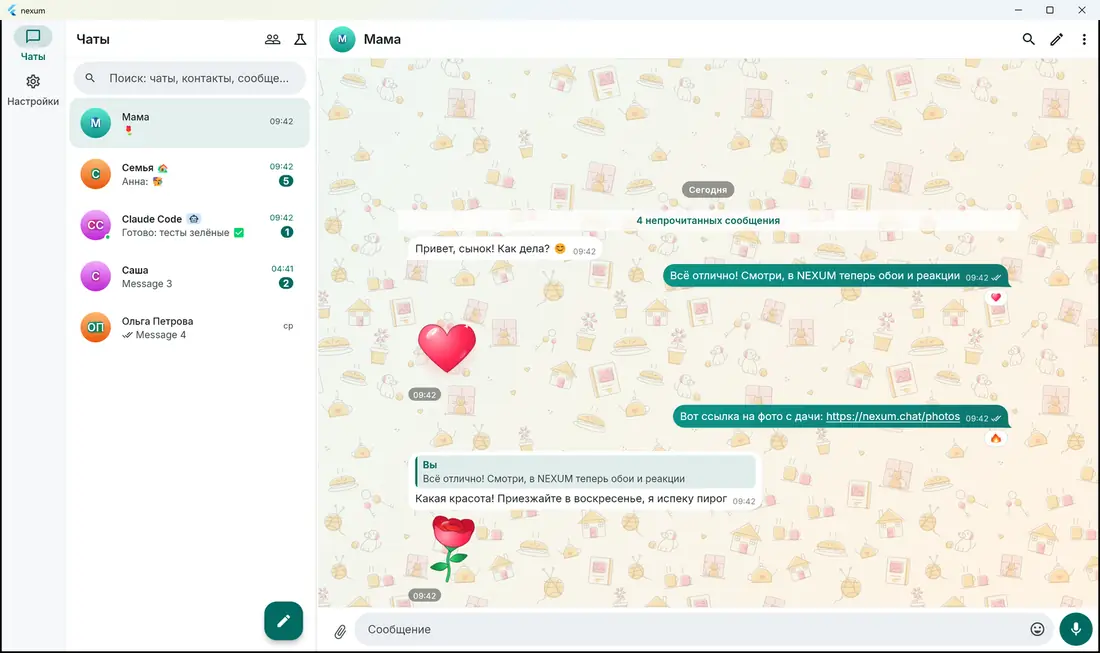
Chatem on a computer: a family chat with a cosy wallpaper, a heart reaction and a Claude Code chat in the list
Who it's for

Who {name} is for

Families and older parents

Simple mode with large text and big buttons, voice notes that are sent first, and a profile photo so Grandma sees who is calling. You can set the phone up for her in about ten minutes.

How to set it up

People on weak or unstable networks

Audio calls use a codec that needs little bandwidth and repairs lost packets; if a direct connection fails, the call goes through a relay. Voice notes are sent before photos and videos. Calls stay end-to-end encrypted, even through the relay.

How it is protected

Developers who use Claude Code

Every project folder on your PC gets its own bot. Send a task by text or voice from your phone, read the answer, approve actions with a button. Needs your own Claude subscription and a Windows PC that stays on.

How it works
Features

Everything a family needs, nothing extra

Only you and the person you talk to

Messages, voice notes, photos, files, your name and profile photos are encrypted on your device. The server only passes sealed envelopes along.

Calls that hold on a weak connection

Audio calls are tuned for mobile internet: a voice codec that needs little bandwidth and repairs lost packets, plus a relay when a direct connection fails. Voice notes always go first, ahead of photos and videos.

Easy for grandparents

Simple mode: large text and big buttons, fewer details, no accidental swipes or double taps. The app speaks Russian, Ukrainian and English.

Claude Code from your phone

Each project folder on your computer gets its own Claude Code bot in the messenger. Type or send a voice note while travelling, get answers as text or voice, approve actions with a button.

Phone and computer together

Link a computer by scanning a QR code with your phone and copy your chat history to it. New messages arrive on all your devices.

Groups, voice, photos and video

Encrypted group chats, voice messages, photos, videos and files up to 100 MB, replies and reactions. Profiles with photos so relatives know who is writing.

Coming soon Disappearing messages, view-once photos and screenshot protection are in development.
For people who code

How Claude Code works in Chatem

Your computer at home does the work. Your phone becomes the remote control: write or talk to your coding assistant from anywhere.

The Chatem mascot, thinking
  1. Set up once on your PC

    In Chatem on your Windows computer open Settings → “Claude Code on this computer” → Set up. It installs what is missing (Node.js, Python, ffmpeg, speech recognition and voice) and asks you to sign in to Claude once.

  2. Open Claude in a project folder

    Right-click a folder in File Explorer and choose “Open Claude (Chatem)”, or type claude-nexum in a terminal there. The folder gets its own bot, for example “INVEST-bot”, on all your devices.

  3. Talk from anywhere

    Write or send a voice note from your phone. Claude works on your computer and answers by text or voice. Permission requests arrive as Allow / Deny buttons.
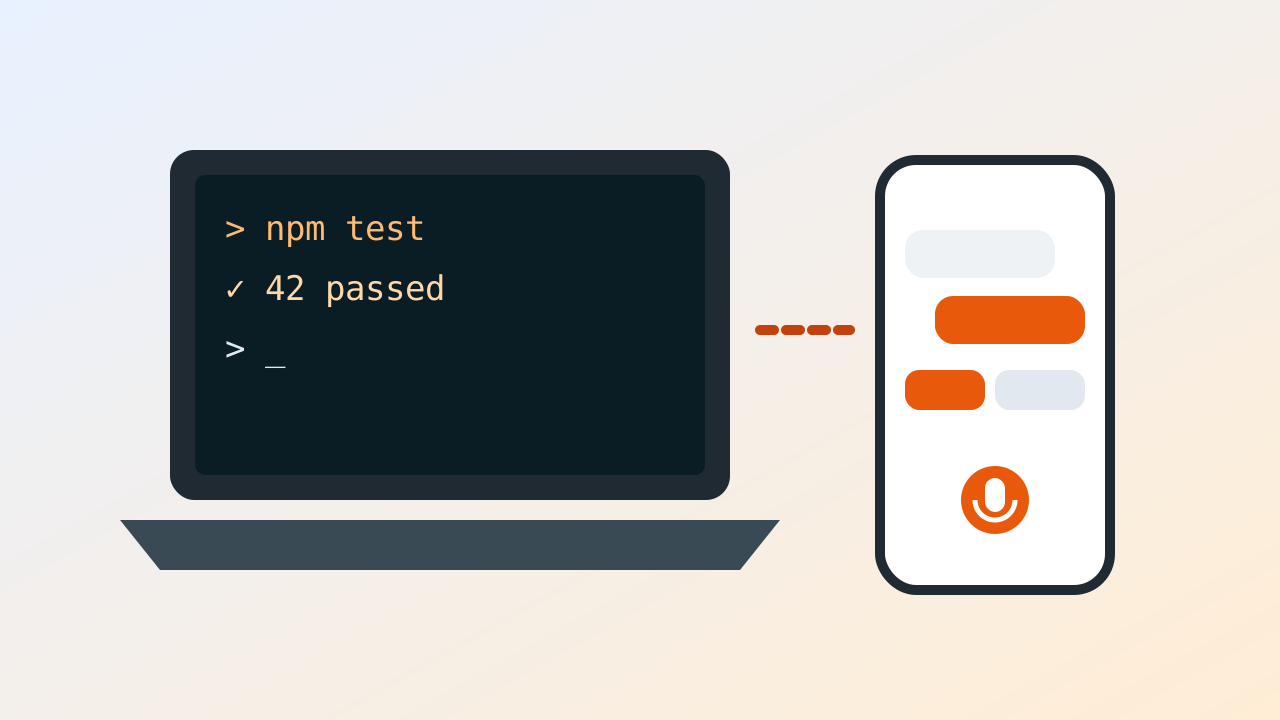
Video coming soon
Claude Code from your phone, in 90 seconds

Good to know: you need your own Claude subscription, and the computer must stay on. Conversations with your bots are end-to-end encrypted: the Chatem server sees neither commands nor answers. Anthropic processes what Claude works on. Claude is a trademark of Anthropic; Chatem is not affiliated with Anthropic. Currently for Windows.
Watch

See it in action

Video coming soon
Chatem in one minuteChats, voice notes, photos and reactions
Video coming soon
A call on a weak connectionCalling family from the road
Video coming soon
Simple mode for grandparentsSetting up a phone for an older relative
Security

What our server sees, and what it doesn't

Encryption happens on your phone and computer. The server delivers sealed envelopes and cannot open them.

The server can't see

  • Text of your messages and voice notes
  • Photos, videos and files (each one has its own key)
  • Your name, profile photos and “About”
  • Reactions, read receipts, “typing…”
  • The sound of your calls, even through the relay
  • Your conversations with your Claude Code bots

The server does know

  • Your phone number and your devices
  • Who sends to whom and when, and message sizes Hiding the sender is planned.
  • Who is in a group (but not what is written there)
  • Your IP address while you are connected
  • Numbers you check when you open Contacts Answered and forgotten; for the daily limit only a keyed hash is kept, for one day.

Open questions, stated plainly

  • There has been no independent security audit yet. Please do not treat the encryption as audited.
  • The source code is not published, so the app is not open source.
  • Hiding from the server who writes to whom is planned, not done.
  • There is no recovery key yet: if you lose every device that holds your chats, the history is gone. We keep no copy.
  • Found a security problem? Write to us privately through the contact page and please don't post it publicly first.

Storage: a message waits on the server, encrypted, only until each of your devices picks it up (at most 30 days), then it is deleted. Encrypted files are kept for 30 days. Privacy policy

Why {name}

What we are building, and what is not there yet

There are plenty of good messengers. {name} is made for one particular situation: a family spread across countries, parents who are not at ease with technology, patchy mobile internet, and a developer in the family.

What we focus on

  • Russian and Ukrainian first, English too
  • Simple mode for older relatives
  • Voice notes and calls built for weak mobile internet
  • End-to-end encryption by default, and a plain list of what the server still knows
  • A Claude Code bot for each project folder

Not there yet

  • Apps for iPhone, Mac and Linux (planned)
  • A Google Play listing: for now Android is installed from a file
  • Deleting your account inside the app
  • Disappearing messages and screenshot protection (in development)
  • An independent security audit
Questions

Frequently asked questions

Is it free? How much will it cost?
The test version is free. Pricing of the final version is not decided yet.
Do I need a phone number?
Yes. Registration is by phone number, like in Signal or WhatsApp, so relatives can find you by number. Use your own number only.
Why is it not in Google Play?
While we are testing, the Android app is installed from a file downloaded from this site. The Download page shows how, step by step.
Is there an iPhone version?
Not yet. iPhone, Mac and Linux versions are planned.
Can my grandmother use it?
Yes. Turn on Simple mode in Settings: large text, big buttons and fewer options. You can set the phone up for her, and the app can be in Russian or Ukrainian.
Do I need Claude to use the messenger? How much does it cost?
No. Claude Code is optional, for people who already use it. It needs your own Claude subscription: you pay Anthropic for it, not us, and we do not resell it. It also needs a Windows computer that stays on.
Can you read my messages?
No. Messages are encrypted on your device with keys that never leave it. See what the server sees.
Does it have disappearing messages?
Coming soon: disappearing messages, view-once photos and screenshot protection are in development.
Who can see my phone number?
The server stores it. People who have your number in their address book and use {name} see you in their Contacts, and you see them the same way. There is no setting yet to hide your number from other people, so use a number you are happy to show your contacts.
What data do you keep, and where?
Only what is needed to deliver messages: your number, devices and keys, who sent an envelope to whom and when, and group membership. Messages wait on the server, encrypted, until delivered (at most 30 days); encrypted files are kept for 30 days. Servers are in Germany (Hetzner). Details are in the privacy policy (still a draft).
Can I delete my account?
Not inside the app yet; it is planned. Until then, ask us through the contact page. Your chat history lives on your own devices: if you delete the app and have no linked device, it is gone, and we have no copy.
How do I move to a new phone?
Install {name} on the new phone and register with the same number: the account moves to the new phone and the old devices are signed out. Chat history is kept only on your devices, and moving it from phone to phone is not available yet, so the new phone may start without old chats. If you can, keep the old phone until then.
How does linking a computer work?
Install {name} on the computer and choose “This is a computer: link to my phone”. A QR code appears. On the phone open Settings → Devices → Link a computer and scan it. One account can have up to 10 devices. Steps are on the Help page.
Is my chat history copied to the computer?
Yes, if you leave “Also copy chat history” on while linking. The phone sends your chats to the computer, so keep {name} open on the phone until it finishes. Photos and files open on the computer only while the server still holds them (30 days), so older media may not open there.
Is it audited? Is it open source?
No to both, for now: there has been no independent security audit and the source code is not published. See the open questions.

Didn't find your answer? Contact us.